Fewer repeat exports
New replies can update the local Markdown copy without another manual export click.
LOCAL MARKDOWN LIVE SAVE
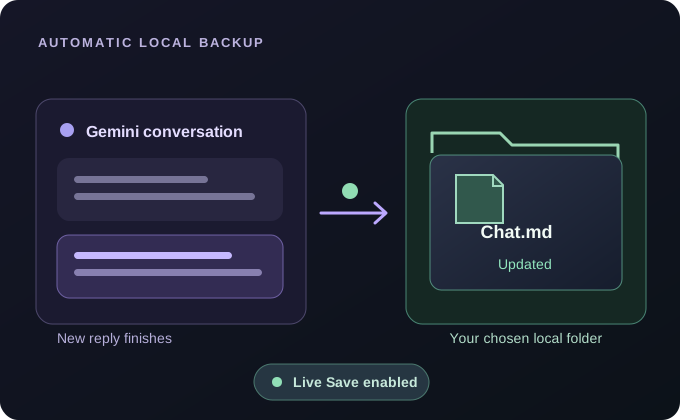
Want an updated local copy without repeatedly clicking Export? Live Save can update a conversation's Markdown file when Gemini finishes a reply during an active browsing session.
Free and open source. Your conversation exports are processed in Chrome and saved to your own device.
Published extension: Google Gemini · ChatGPT, Claude and Grok integrations are experimental.
STEP BY STEP
Live Save is a local folder workflow, not a remote synchronization service. Start with a manual bulk backup if you want a complete initial snapshot.
Open the Gemini Exporter Workbench, switch the output destination to Save to local folder and click Choose folder to grant access.
Choose Markdown (.md) as the output format. Live Save currently does not write PDF, HTML or JSON automatically.
Turn on Live Save inside the local-folder card. Keep the correct Gemini account and local folder selected.
When Gemini finishes new replies during active browsing, the extension updates the corresponding Markdown backup. Check the local files to confirm the result.
KNOW WHAT YOU'RE SAVING
Live Save is meant to reduce the need to re-export an ongoing Gemini conversation by hand. It writes a Markdown update to the folder you explicitly authorized; the data does not pass through a hosted backup service operated by the extension.
It is not an always-on cloud agent. Updates depend on your browser session, platform access and local folder permissions. Switching away from local-folder delivery or choosing a non-Markdown export format pauses Live Save, even if the preference stays enabled.
PRACTICAL BENEFITS
New replies can update the local Markdown copy without another manual export click.
Markdown is easy to search, diff, edit and organize with other note-taking tools.
Files stay in a location you authorize; no exporter-hosted cloud backup is required.
COMMON QUESTIONS
Based on the published Gemini Exporter workflow and its current limitations.
Complete user guideNo. It is not an independently running cloud service. Keep Chrome open, be signed in to Gemini and maintain the required site and folder permissions.
Not currently. Live Save targets Markdown (.md) in an authorized local folder. Use a manual export for PDF, HTML or JSON.
Selecting Browser download or a non-Markdown format pauses Live Save. Return to Save to local folder and Markdown; reauthorize the folder if prompted.
EXPLORE MORE
READY TO KEEP YOUR CONVERSATIONS?
No exporter account, subscription or developer-hosted upload.