Markdown
Editable, easy-to-search files for notes and long-term text archives.
GEMINI EXPORT FORMATS
Need a document you can share, an editable note, an offline page or structured data? Gemini Exporter produces four practical file formats locally in your browser.
Free and open source. Your conversation exports are processed in Chrome and saved to your own device.
Published extension: Google Gemini · ChatGPT, Claude and Grok integrations are experimental.
STEP BY STEP
The same format choices are available for an individual Gemini conversation or a batch of chats.
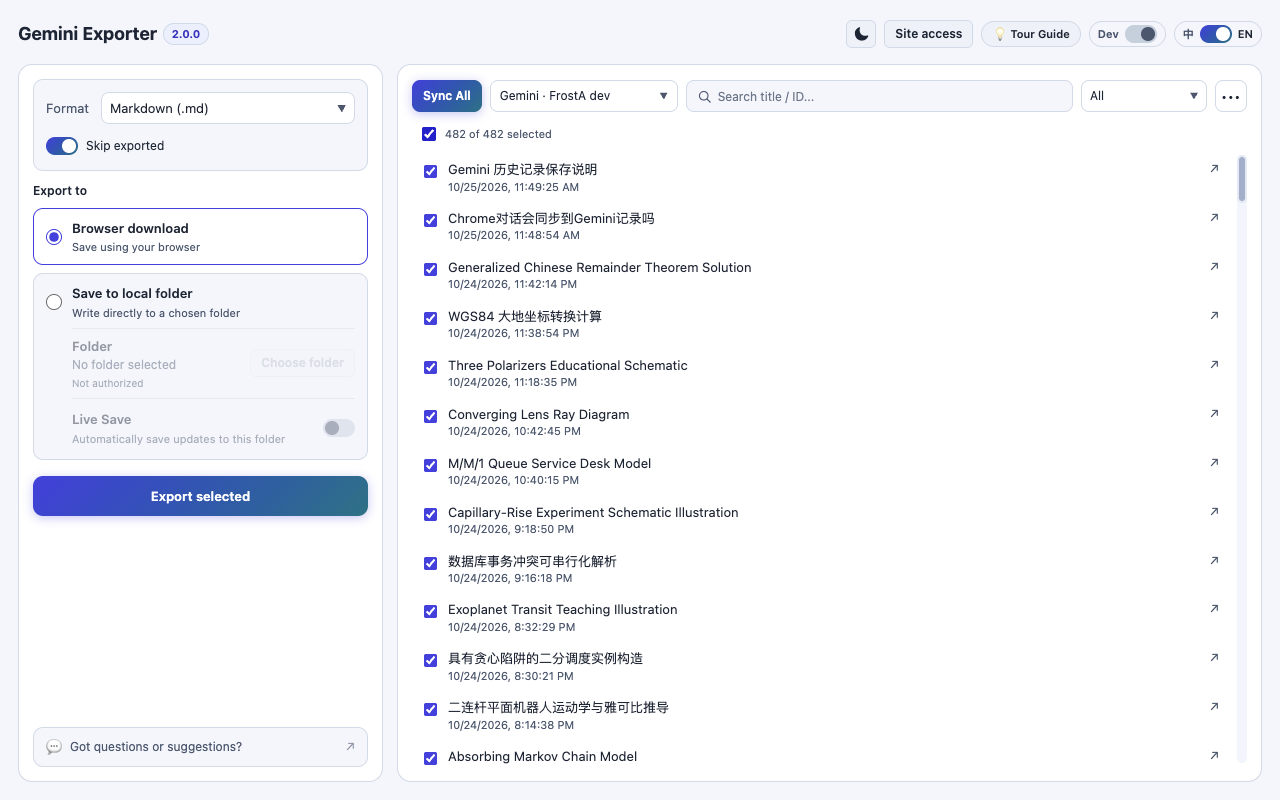
For one chat, open it in Gemini and use the extension popup. For many chats, open the Workbench and click Sync All.
Pick the format that matches your goal. Markdown is easiest to edit; PDF and HTML are better for reading; JSON is structured data.
Use Browser download, or choose and authorize a folder with Save to local folder for larger batches.
Use Export Current Conversation from the popup, or select conversations and click Export selected in the Workbench.
KNOW WHAT YOU'RE SAVING
Markdown (.md) is a readable text format that works well in editors, note-taking tools and version control. It is also the format used by optional local Live Save.
PDF (.pdf) produces a portable document using an in-browser Typst/WASM renderer. HTML (.html) works for opening formatted conversations in a browser without returning to Gemini. JSON (.json) is useful for structured archival and other software that can read conversation data.
PRACTICAL BENEFITS
Editable, easy-to-search files for notes and long-term text archives.
Portable reading, sharing and offline browsing with formatting preserved where supported.
Machine-readable structured conversation archives for future processing.
COMMON QUESTIONS
Based on the published Gemini Exporter workflow and its current limitations.
Complete user guideThe published Gemini workflow documented here supports Markdown, PDF, HTML and JSON. We do not advertise Word or Excel as generally available formats.
PDF documents are compiled locally using a Typst/WebAssembly renderer. Export content does not need to be uploaded to a developer-operated server.
When attachment export is enabled, available source images and files may be included. Some uploads or generated resources can expire and cannot be recovered after the source stops serving them.
EXPLORE MORE
READY TO KEEP YOUR CONVERSATIONS?
No exporter account, subscription or developer-hosted upload.