No manual ZIP extraction
Point Gemini Exporter at the original archive rather than untangling exported files yourself.
GOOGLE TAKEOUT IMPORT
Downloaded your Gemini history through Google Takeout, but the archive is hard to read? Gemini Exporter can import the original ZIP and turn supported conversations into individual files.
Free and open source. Your conversation exports are processed in Chrome and saved to your own device.
Published extension: Google Gemini · ChatGPT, Claude and Grok integrations are experimental.
STEP BY STEP
Use your own original Google Takeout archive. There is no need to unzip or manually parse its internal files.
Visit Google Takeout and download the archive for your Gemini history.
Install Gemini Exporter, open its Workbench and select the matching Gemini account as the import destination.
Choose the Workbench import action and select the ZIP you downloaded. Do not extract it first. The extension reads the supported Takeout structure locally.
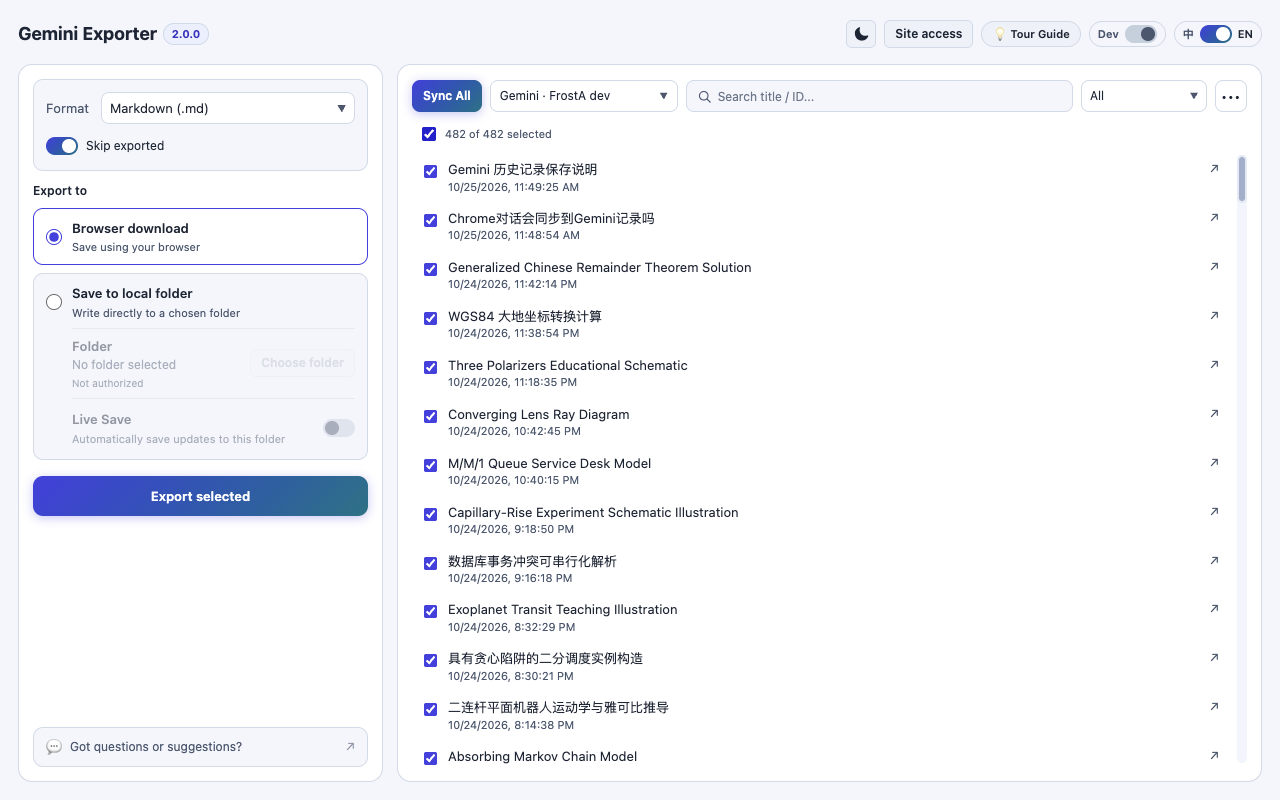
Find the imported conversations in your local catalog, select what you need, choose PDF, Markdown, HTML or JSON, and click Export selected.
KNOW WHAT YOU'RE SAVING
Online scanning is useful when your signed-in Gemini account exposes its conversations normally. A Takeout archive is useful when the web list does not show all older conversations, when you want to work from an official data export, or when the site is rate-limited.
Takeout import supplements the online scan; it does not change or delete your source account. The extension processes the archive on your device and helps turn its supported conversation data into human-readable documents.
PRACTICAL BENEFITS
Point Gemini Exporter at the original archive rather than untangling exported files yourself.
Supplement what the online Gemini list currently makes available.
Convert supported archive conversations into Markdown, PDF, HTML or JSON.
COMMON QUESTIONS
Based on the published Gemini Exporter workflow and its current limitations.
Complete user guideNo. Import the original ZIP directly in the Workbench. Manual extraction is not part of the recommended workflow.
Not necessarily. The importer can only use what is present in the archive, and unavailable original files cannot be recreated from missing data.
No. Import makes supported conversations available in your local catalog. You still select the chats, choose a format and click Export selected to create files.
EXPLORE MORE
READY TO KEEP YOUR CONVERSATIONS?
No exporter account, subscription or developer-hosted upload.